Linux Compatibility Cheat Sheet by Make, Model & Year (10+ Years of Hardware)
Choose the best Linux distro for your old (or semi-modern) PC by make, model, and year—fast.
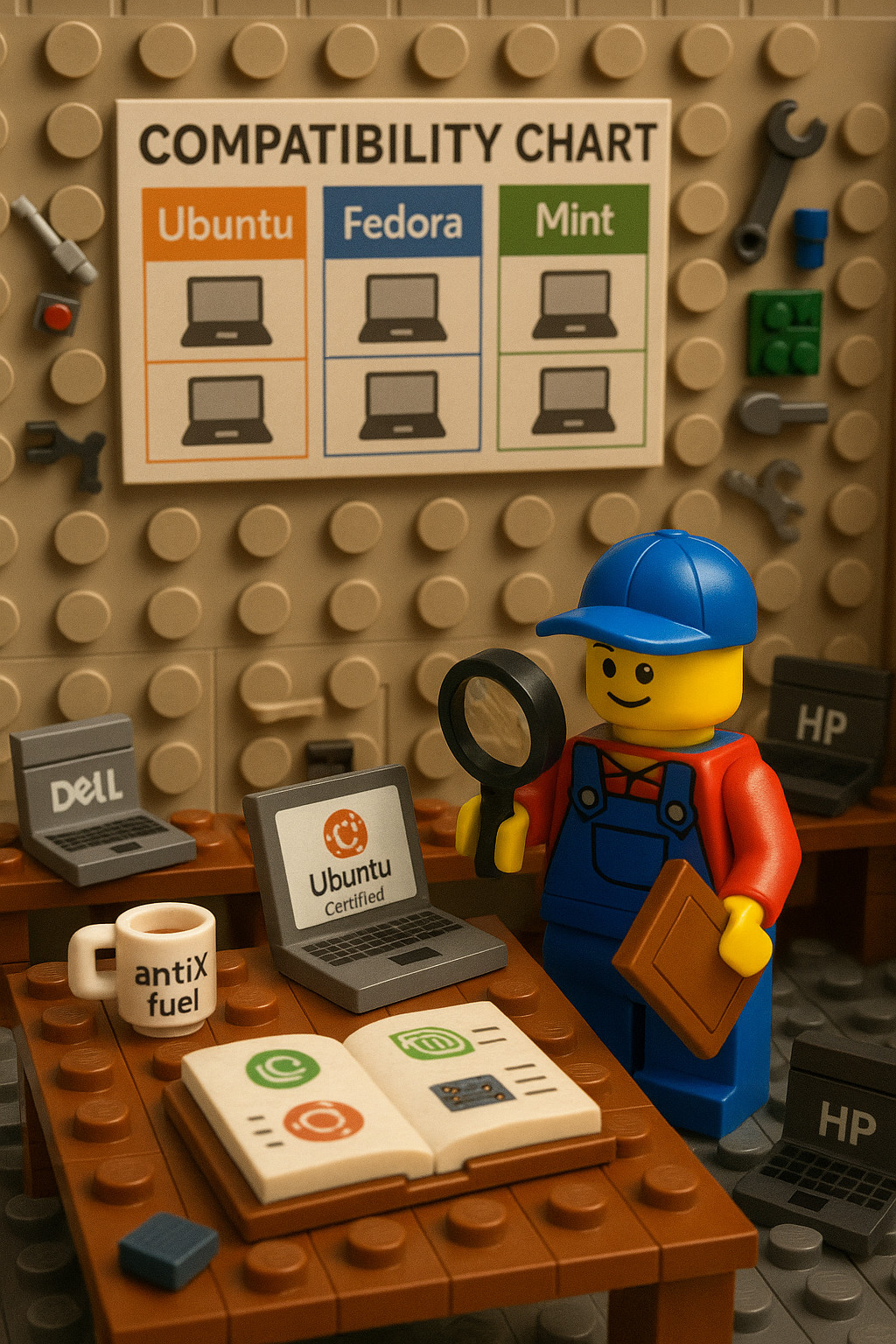
How to Use This Cheat Sheet
Pick your Make → Model Family → Year Range and install from the Distros / Notes block.
- Tier A (Semi-modern / capable hardware, usually ≥4–8 GB RAM, SSD recommended):
Ubuntu (LTS), Linux Mint Cinnamon, Fedora Workstation, Zorin OS Core - Tier B (Older / constrained hardware, ≤4 GB RAM or HDD, or netbooks):
Linux Mint XFCE or MATE, MX Linux (XFCE), Lubuntu (LXQt), Zorin OS Lite (XFCE), Linux Lite (XFCE), LXLE (LXDE), antiX, Puppy Linux
Rule of thumb: Newer models need only Tier A. Older models list an ideal highest distro from Tier A (if feasible) plus lighter Tier B options when needed.
Need to get the bootable usb working? See this guide: /guides/boot-from-usb-every-major-system/
Vendor & Distro Certification Links
- Ubuntu Certified Hardware (Laptops): https://ubuntu.com/certified/laptops
- Ubuntu Certified Hardware (Desktops): https://ubuntu.com/certified/desktops
- Fedora Hardware Compatibility (HCL): https://fedoraproject.org/wiki/HCL
- Linux Mint Downloads (flavors / ISOs): https://linuxmint.com/download_all.php
Quick Reference Table / Cheat Sheet
Here is a quick reference to coordinate suggested distros. More detailed specs below.
Quick Compatibility Table
| Make | Model / Series | Year Range | Suggested Distros (Optimal → Lightweight) |
|---|---|---|---|
| Dell | Latitude E / 5xxx–7xxx | 2008–2023 | Ubuntu LTS, Mint Cinnamon, Fedora → MX Linux, Lubuntu, antiX |
| Inspiron Series | 2008–2023 | Mint Cinnamon, Ubuntu LTS → Zorin Lite, Linux Lite | |
| XPS | 2010–2023 | Ubuntu (Dev Edition lineage), Fedora, Mint | |
| OptiPlex Desktops | 2008–2023 | Ubuntu, Mint XFCE → MX Linux, antiX | |
| HP | Pavilion / Envy | 2008–2023 | Ubuntu LTS, Mint Cinnamon → Lubuntu, LXLE, Linux Lite |
| EliteBook / ProBook | 2008–2023 | Ubuntu LTS, Fedora → MX Linux, Mint XFCE | |
| ProDesk / EliteDesk | 2010–2023 | Ubuntu, Mint → Lubuntu, antiX | |
| Lenovo | ThinkPad T / X Series | 2008–2023 | Ubuntu LTS, Fedora, Mint → MX Linux, Lubuntu, antiX |
| IdeaPad Series | 2008–2023 | Mint Cinnamon, Zorin Core → Lubuntu, Puppy Linux | |
| ThinkCentre Desktops | 2008–2023 | Ubuntu LTS, Mint → MX Linux, antiX | |
| Acer | Aspire / Aspire One | 2008–2023 | Ubuntu, Mint → MX Linux, Lubuntu, Puppy, ChromeOS Flex |
| ASUS | VivoBook / ZenBook | 2012–2023 | Ubuntu, Mint, Fedora → Xubuntu, MX Linux |
| Eee PC Netbooks | 2008–2012 | Lubuntu 18.04 (32-bit), antiX, Puppy | |
| Apple | MacBook Pro / Air | 2008–2019 | Ubuntu LTS, Mint Cinnamon → Lubuntu, antiX |
| iMac / Mac Mini | 2009–2020 | Ubuntu, Mint → Lubuntu, Linux Lite | |
| Toshiba | Satellite / Tecra | 2008–2015 | Mint MATE/XFCE, Ubuntu → Lubuntu, antiX |
| Others | Sony VAIO, Compaq, etc. | 2008–2015 | Ubuntu, Mint → Zorin Lite, Lubuntu, antiX |
OS Links
Linux Distributions Mentioned
Tier A – Full-Featured / Modern Systems
- Ubuntu (LTS) → https://ubuntu.com/download/desktop
- Fedora Workstation → https://fedoraproject.org/workstation/download/
- Linux Mint (Cinnamon / MATE / XFCE) → https://linuxmint.com/download_all.php
- Zorin OS (Core / Lite) → https://zorin.com/os/download/
- elementary OS → https://elementary.io/
Tier B – Lightweight / Older or Constrained Systems
- Lubuntu (LXQt) → https://lubuntu.me/downloads/
- Xubuntu (XFCE) → https://xubuntu.org/download
- MX Linux (XFCE / KDE / Fluxbox) → https://mxlinux.org/download-links/
- Linux Lite → https://www.linuxliteos.com/download.php
- antiX Linux → https://antixlinux.com/download/
- LXLE (Lubuntu-based) → https://sourceforge.net/projects/lxle/
- Peppermint OS → https://peppermintos.com/
- Puppy Linux → https://forum.puppylinux.com/puppy-linux-collection
Specialized / Alternate Mentions
- Debian (Stable / XFCE) → https://www.debian.org/distrib/
- OpenSUSE Leap → https://get.opensuse.org/leap/
- ChromeOS Flex (by Google) → https://chromeenterprise.google/os/chromeosflex/
- Pop!_OS (by System76) → https://pop.system76.com/
- Ubuntu MATE → https://ubuntu-mate.org/download/
- Kubuntu (KDE Plasma) → https://kubuntu.org/getkubuntu/
Notes
- Always verify checksum signatures from the official sites.
- For long-term stability, prefer LTS (Long-Term Support) releases when available.
- Most distributions listed above also offer Live USB testing — no install required.
Compatability / Suggested Distro List
Here is the more detailed list of Make / Model / Year Distro information.
Dell
Inspiron (Consumer Laptops & Desktops)
2020–2023
Distros / Notes:
- Tier A: Ubuntu 22.04+, Fedora 37/38, Linux Mint 21, Zorin OS Core
- NVMe, Wi-Fi 6/BT5, Intel Iris Xe / AMD iGPU supported OOTB on modern kernels.
- Secure Boot: OK with Ubuntu/Fedora; disable or enroll MOK if installing NVIDIA.
2017–2019
Distros / Notes:
- Tier A: Ubuntu 18.04/20.04, Mint Cinnamon, Fedora, Zorin Core
- MX150/MX250 or GTX 10-series require NVIDIA proprietary driver for best perf.
2014–2016
Distros / Notes:
- Tier A: Ubuntu LTS, Mint Cinnamon, Fedora
- If HDD/4 GB: MX Linux / Linux Lite for snappier UX.
- Skylake/Haswell OK; Optimus needs PRIME/NVIDIA driver.
2011–2013
Distros / Notes:
- Highest ideal: Ubuntu LTS or Mint Cinnamon (with SSD & ≥4 GB)
- Otherwise Tier B: MX Linux, Mint MATE/XFCE, Zorin Lite, Lubuntu.
- Early UEFI/Secure Boot; Broadcom Wi-Fi may need proprietary driver.
2008–2010
Distros / Notes:
- Highest ideal: Mint XFCE/MATE (with 4 GB & SSD)
- Recommended: Lubuntu, Linux Lite, LXLE, antiX, Puppy (2–3 GB RAM).
- Legacy BIOS; Intel GMA or very old NVIDIA/ATI.
Latitude (Business Laptops)
2017–2023 (7xxx/5xxx)
Distros / Notes:
- Tier A: Ubuntu 20.04/22.04, Fedora, Mint, Zorin Core
- TB3/USB-C docks, Wi-Fi 6, fingerprint readers widely supported on recent kernels.
2014–2016 (E7450/E7470, 5th–6th Gen)
Distros / Notes:
- Tier A: Ubuntu LTS, Mint Cinnamon, Fedora
- Mostly Intel graphics; dGPU models use NVIDIA/AMD driver.
2010–2013 (E64x0→E64x0/E65x0/E6430)
Distros / Notes:
- Highest ideal: Ubuntu LTS / Mint Cinnamon (8 GB & SSD)
- Tier B: MX Linux, Lubuntu, Mint XFCE for HDD/4 GB systems.
- Optimus on some—use PRIME/Bumblebee.
2008–2009 (E6400/E6500)
Distros / Notes:
- Highest ideal: Ubuntu / Mint MATE (with RAM/SSD upgrades)
- Tier B: Linux Lite, MX Linux, antiX on stock 2 GB.
- Legacy BIOS; Intel Wi-Fi usually OOTB.
XPS (High-End Consumer)
2019–2023
Distros / Notes:
- Tier A: Ubuntu 22.04 (Dev Edition lineage), Fedora, Mint, Zorin Core
- HiDPI/OLED, TB4/USB4, latest Intel/AMD iGPU fully supported on current kernels.
2015–2018 (InfinityEdge)
Distros / Notes:
- Tier A: Ubuntu, Fedora, Zorin Core, Mint
- PRIME offload for XPS 15 dGPUs; TB3 works with bolt.
2012–2014 (Ultrabook era)
Distros / Notes:
- Tier A: Ubuntu (Dell Dev Edition), Fedora, Mint
- HiDPI scaling available; Optimus requires NVIDIA driver.
2008–2011 (Studio XPS, early XPS)
Distros / Notes:
- Highest ideal: Ubuntu / Mint XFCE (with 4 GB & SSD)
- Tier B: LXLE, Mint XFCE if ≤3 GB RAM.
- Older NVIDIA/ATI need legacy drivers or Nouveau/Radeon.
OptiPlex (Business Desktops)
2016–2023
Distros / Notes:
- Tier A: Ubuntu/Fedora/Mint—everything OOTB (NVMe, multi-monitor).
2012–2015
Distros / Notes:
- Tier A: Ubuntu, Zorin Core, Mint
- If HDD/4 GB: Lubuntu/LXLE recommended.
2008–2011
Distros / Notes:
- Highest ideal: Ubuntu / MX Linux (with 4–8 GB & SSD)
- Tier B: Linux Lite, antiX for 2 GB DDR2 era boxes.
HP
Pavilion / Envy (Consumer Laptops)
2020–2023
Distros / Notes:
- Tier A: Ubuntu 22.04, Fedora 37, Mint 21, Zorin Core
- Ryzen/iRIS Xe OK; Secure Boot + MOK for NVIDIA if needed.
2017–2019
Distros / Notes:
- Tier A: Ubuntu 18.04/20.04, Fedora, Mint
- Early Ryzen mobile fixed on newer kernels; MX/GTX need NVIDIA driver.
2014–2016
Distros / Notes:
- Tier A: Ubuntu LTS, Mint Cinnamon, Zorin Core
- If HDD/4 GB: Mint MATE, Lubuntu, LXLE.
- Realtek/Broadcom Wi-Fi may need firmware/driver.
2011–2013
Distros / Notes:
- Highest ideal: Ubuntu / Mint Cinnamon (SSD & ≥6 GB)
- Tier B: MX Linux, Mint XFCE, Zorin Lite (HDD/4 GB).
- Switchable Intel/AMD or Optimus; use open AMD or NVIDIA driver.
2008–2010 (dv-series, etc.)
Distros / Notes:
- Highest ideal: Mint MATE / XFCE (with 4 GB & SSD)
- Tier B: Lubuntu, Linux Lite, Puppy/antiX on 2–3 GB.
- Broadcom Wi-Fi usually needs proprietary driver.
EliteBook / ProBook (Business Laptops)
2019–2023
Distros / Notes:
- Tier A: Ubuntu 22.04, Fedora 36/37, Mint 21
- TB3 docks, WWAN, fingerprint—good support; fwupd for BIOS updates.
2015–2018
Distros / Notes:
- Tier A: Ubuntu 20.04, Fedora, Mint
- Intel-only SKUs are effortless; Quadro/AMD require proprietary/open drivers.
2011–2014
Distros / Notes:
- Highest ideal: Ubuntu LTS, Fedora, Mint (8 GB & SSD)
- Tier B: MX Linux, Lubuntu (HDD/4 GB).
- Broadcom/Intel Wi-Fi; switchable graphics needs config.
2008–2010
Distros / Notes:
- Highest ideal: Ubuntu / Mint (with RAM/SSD upgrades)
- Tier B: Linux Lite, antiX (stock 2 GB).
- Legacy BIOS; some AMD dGPUs need legacy drivers or open Radeon.
Compaq / ProDesk / EliteDesk (Desktops)
2016–2023
Distros / Notes:
- Tier A: Ubuntu, Fedora, Mint—plug-and-play.
2012–2015
Distros / Notes:
- Tier A: Ubuntu/Mint; if HDD/4 GB, Xubuntu/LXLE recommended.
2008–2011
Distros / Notes:
- Highest ideal: Ubuntu / MX Linux (with 4–8 GB & SSD)
- Tier B: Linux Lite, Lubuntu for 2 GB systems.
Lenovo
ThinkPad T-Series (Business)
2020–2023 (T14/T14s, T15)
Distros / Notes:
- Tier A: Fedora 37+, Ubuntu 22.04+, Mint 21
- Intel 11th/12th gen & AMD Ryzen PRO fully supported with modern kernels.
2017–2019 (T470/T480/T490)
Distros / Notes:
- Tier A: Ubuntu 22.04/20.04, Fedora, Mint
- TB3, Power management (TLP) excellent; MX150/MX250 via NVIDIA driver.
2014–2016 (T440/T450/T460)
Distros / Notes:
- Tier A: Ubuntu LTS, Mint, Fedora
- T440/T450 clickpad OK with libinput; discrete GPUs need NVIDIA driver.
- If HDD/4 GB: MX Linux / Mint XFCE.
2011–2013 (T420/T430/T520/T530)
Distros / Notes:
- Highest ideal: Ubuntu LTS / Mint Cinnamon (8–16 GB & SSD)
- Tier B: Mint XFCE, MX Linux for base configs.
- Optimus supported with PRIME; everything else works OOTB.
2008–2010 (T400/T500/T410/T510)
Distros / Notes:
- Highest ideal: Ubuntu / Mint (with upgrades)
- Tier B: Lubuntu, MX Linux, antiX for 2–3 GB setups.
- Switchable graphics: set Intel-only in BIOS for simplicity.
ThinkPad X-Series / X1 Carbon (Ultraportables)
2012–2023 (X1 Carbon Gen1→Gen11, X220/X230 etc.)
Distros / Notes:
- Tier A: Ubuntu LTS, Fedora, Mint
- HiDPI, TB3, WWAN, fingerprint widely supported on modern kernels.
- Older X200/X201: use Tier B if ≤2–4 GB (Lubuntu/Mint XFCE/antiX).
IdeaPad (Consumer)
2017–2023
Distros / Notes:
- Tier A: Ubuntu 22.04, Mint 21, Zorin Core
- Low-end IdeaPad 1/3 with 4 GB benefit from Lubuntu/Linux Lite.
- Some newer AMD models: S3 sleep quirks; update BIOS/kernel.
2013–2016
Distros / Notes:
- Tier A: Ubuntu, Zorin Core, Mint Cinnamon
- If HDD/4 GB: Linux Lite, MX Linux, Lubuntu.
- Change BIOS SATA from RAID/RST to AHCI if disk not detected.
2008–2012
Distros / Notes:
- Highest ideal: Mint / Ubuntu MATE (upgraded RAM/SSD)
- Tier B: Lubuntu, Puppy for Atom/Celeron netbook-class units.
- Broadcom/Realtek Wi-Fi may need firmware/driver.
ThinkCentre (Business Desktops) / IdeaCentre (Consumer Desktops)
2016–2023
Distros / Notes:
- Tier A: Ubuntu, Fedora, Mint—no caveats.
2012–2015
Distros / Notes:
- Tier A: Ubuntu/Mint; HDD/4 GB → Lubuntu/MX Linux.
2008–2011
Distros / Notes:
- Highest ideal: Ubuntu / MX Linux (with 4–8 GB & SSD)
- Tier B: antiX, Lubuntu for 2 GB DDR2 systems.
Acer
Aspire (Laptops)
2019–2023
Distros / Notes:
- Tier A: Ubuntu 22.04, Fedora 37, Mint 21
- Alder/Ryzen need newer kernels; set BIOS password to toggle Secure Boot on some models.
2015–2018
Distros / Notes:
- Tier A: Ubuntu 18.04/20.04, Mint, Fedora
- Some Acers require “Trust” of EFI file or disable Secure Boot to boot Linux.
2011–2014
Distros / Notes:
- Tier A: Ubuntu, Mint, Zorin Core (i3/i5 models)
- Tier B: Xubuntu/MX Linux for Pentium/AMD E-series.
- Some UEFI firmwares only boot “Windows Boot Manager” name—use legacy/rename workaround.
2008–2010
Distros / Notes:
- Highest ideal: Mint XFCE / Xubuntu (with 4 GB & SSD)
- Tier B: antiX, Puppy, Lubuntu for 1–2 GB systems.
- Netbook-class devices need very light distros.
Aspire One (Netbooks)
2008–2011
Distros / Notes:
- Tier B only: antiX, Puppy, Lubuntu 18.04 (32-bit) / Debian-LXDE
- Atom N270/N450 with 1 GB RAM: run in RAM (Puppy) for best results.
ASUS
VivoBook / ZenBook / X-/A-/K-Series
2020–2023
Distros / Notes:
- Tier A: Ubuntu 22.04, Fedora 37, Mint 21
- OLED/HiDPI supported; ScreenPad works as 2nd display; RTX via NVIDIA driver.
2016–2019
Distros / Notes:
- Tier A: Ubuntu 20.04, Fedora, Mint
- Touchpads needing newer kernel quirks now supported; TUF gaming OK with NVIDIA driver.
2012–2015
Distros / Notes:
- Tier A: Ubuntu, Mint, Zorin Core
- If 2–4 GB/HDD: Xubuntu/MX Linux.
- Intel Smart Response (cache) → disable for Linux; Optimus needs PRIME.
Eee PC (Netbooks)
2008–2012
Distros / Notes:
- Tier B only: Puppy Linux, antiX, LXLE / Debian-LXDE, Lubuntu 18.04 (32-bit)
- 1–2 GB RAM & small SSD; use lightweight browsers and swap on SD if needed.
Apple (Intel Macs)
MacBook Pro / Air
2012–2015 (Retina / modern Intel)
Distros / Notes:
- Tier A: Ubuntu 20.04/22.04, Fedora, Mint
- Broadcom Wi-Fi needs STA driver; HiDPI scaling OK; dGPU MBPs: prefer iGPU-only or NVIDIA/AMD driver with tweaks.
2008–2011
Distros / Notes:
- Highest ideal: Ubuntu LTS / Mint XFCE (with 4 GB & SSD)
- Tier B: Lubuntu, Mint XFCE for 2 GB units.
- iSight firmware extract, Broadcom Wi-Fi driver, and GPU switching workarounds often required.
2016–2019 (USB-C, Touch Bar/T2)
Distros / Notes:
- Tier A (advanced users): Ubuntu with newer kernels + community tweaks
- Touch Bar & T2 (2018+) complicate storage/audio/BT; external boot may be needed on T2.
iMac (All-in-One)
2009–2020
Distros / Notes:
- Tier A: Ubuntu / Mint for mid/high-spec units
- Tier B: Lubuntu/Xubuntu for ≤4 GB.
- AMD/NVIDIA dGPU needs appropriate driver; iSight firmware on early models.
Mac mini
2009–2018
Distros / Notes:
- Tier A: Ubuntu Server/Desktop, Debian (media/server)
- Tier B: Linux Lite for kiosk/HTPC on low-RAM models.
- 2018 T2 models: internal SSD not usable by Linux—boot external.
Toshiba (Dynabook)
Satellite (Consumer Laptops)
2011–2015
Distros / Notes:
- Tier A: Ubuntu LTS, Mint MATE/Cinnamon
- If HDD/4 GB: Mint XFCE / Lubuntu.
- Some Realtek audio jack quirks—fixed in newer kernels.
2008–2010
Distros / Notes:
- Highest ideal: Mint MATE (with RAM/SSD upgrades)
- Tier B: Lubuntu, antiX for Celeron/2 GB setups.
- BIOS oddities rare; most hardware standard.
Other Notables (Sony VAIO, eMachines, Fujitsu, Compaq Presario)
2008–2015
Distros / Notes:
- Highest ideal: Ubuntu / Mint (≥4–8 GB & SSD)
- Tier B: Lubuntu, Zorin Lite, antiX for ≤2–4 GB RAM.
- Some VAIO Nvidia/ATI require proprietary/legacy drivers; check exact GPU.
Ultra-Old Desktops (Pentium 4 / Core Duo) — “Last Resort”
Distros / Notes:
- Tier B only: antiX (very low resources), Puppy, Lubuntu 18.04 (32-bit), LXLE
- Great for kiosk/web-terminal use; add lightweight browsers and disable compositing.
Quick Prep Checklist
- Update BIOS/UEFI; set AHCI (not RAID/RST) and manage Secure Boot as needed.
- Prefer SSD and ≥8 GB RAM for Tier A distros.
- Test with Live USB (Wi-Fi, sound, suspend, touchpad, external displays).
- For Broadcom Wi-Fi, plan to install
bcmwl-kernel-source(Ubuntu/Mint “Additional Drivers”). - For NVIDIA/Optimus, install proprietary driver and enable PRIME offload if hybrid.
Certified hardware: Start with Ubuntu’s lists for fastest success:
Laptops: https://ubuntu.com/certified/laptops • Desktops: https://ubuntu.com/certified/desktops
Fedora HCL: https://fedoraproject.org/wiki/HCL